






Mt. Lemmon Live Cameras: Every Active Feed and Exactly What to Look For Before You Drive
Jump Straight to a Working Camera An mt lemmon webcam is a live, continuously refreshing camera feed positioned at or near the 9,157-foot summit of Mount Lemmon, Arizona, broadcasting real-time...

Jump Straight to a Working Camera
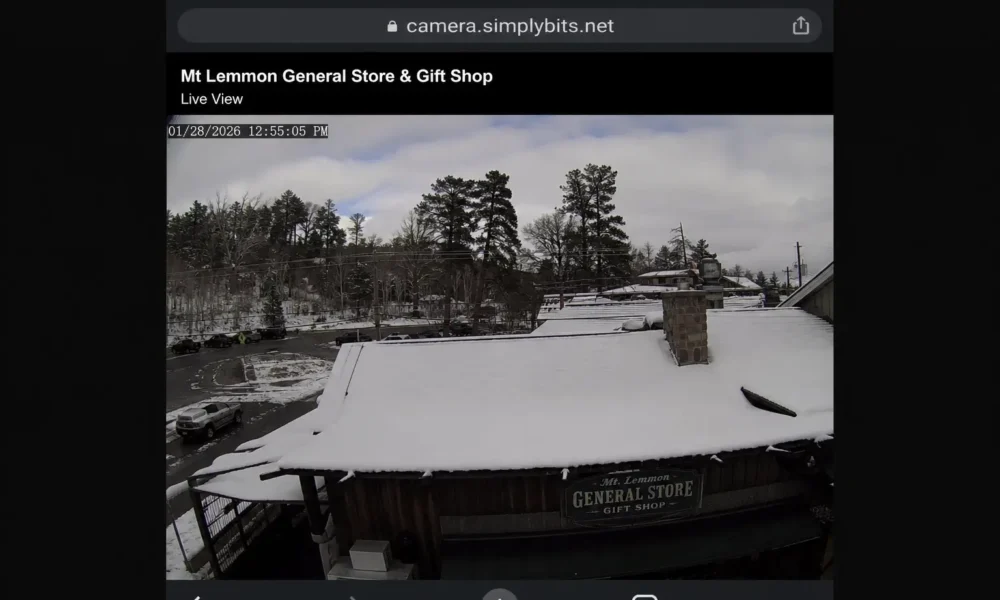
An mt lemmon webcam is a live, continuously refreshing camera feed positioned at or near the 9,157-foot summit of Mount Lemmon, Arizona, broadcasting real-time visual conditions of the snowpack, road surface, and weather to help visitors assess Catalina Highway before driving up. Feeds are hosted independently by local operators — not the Arizona DOT or U.S. Forest Service.
Here are the four feeds that are actually live right now:
- Mt. Lemmon General Store cam → camera.simplybits.net
Refreshes every 60 seconds and shows the summit area along with the General Store parking lot surface. - Loma Linda Water Tank cam → camera2.mountlemmonradio.club
Also refreshes every 60 seconds and gives a south-facing view toward Tucson from the middle of the mountain. - Community Center cam → camera.simplybits.net/camera/mtlemmoncc.jpg
Part of the SimplyBits camera network, offering a wider southern view from Summerhaven village. - Windy Soldier Camp feed → Windy (search “Mt. Lemmon General Store”)
A community-shared live camera feed that also displays wind speed and gust information directly on the image.
Quick note: The snow-forecast.com page for Mt. Lemmon Ski Valley currently returns a 404 error. Don’t waste time hunting for it.
What Each Camera Actually Shows — and When Each One Matters
Not every feed tells you the same thing. This is where most people get it wrong.
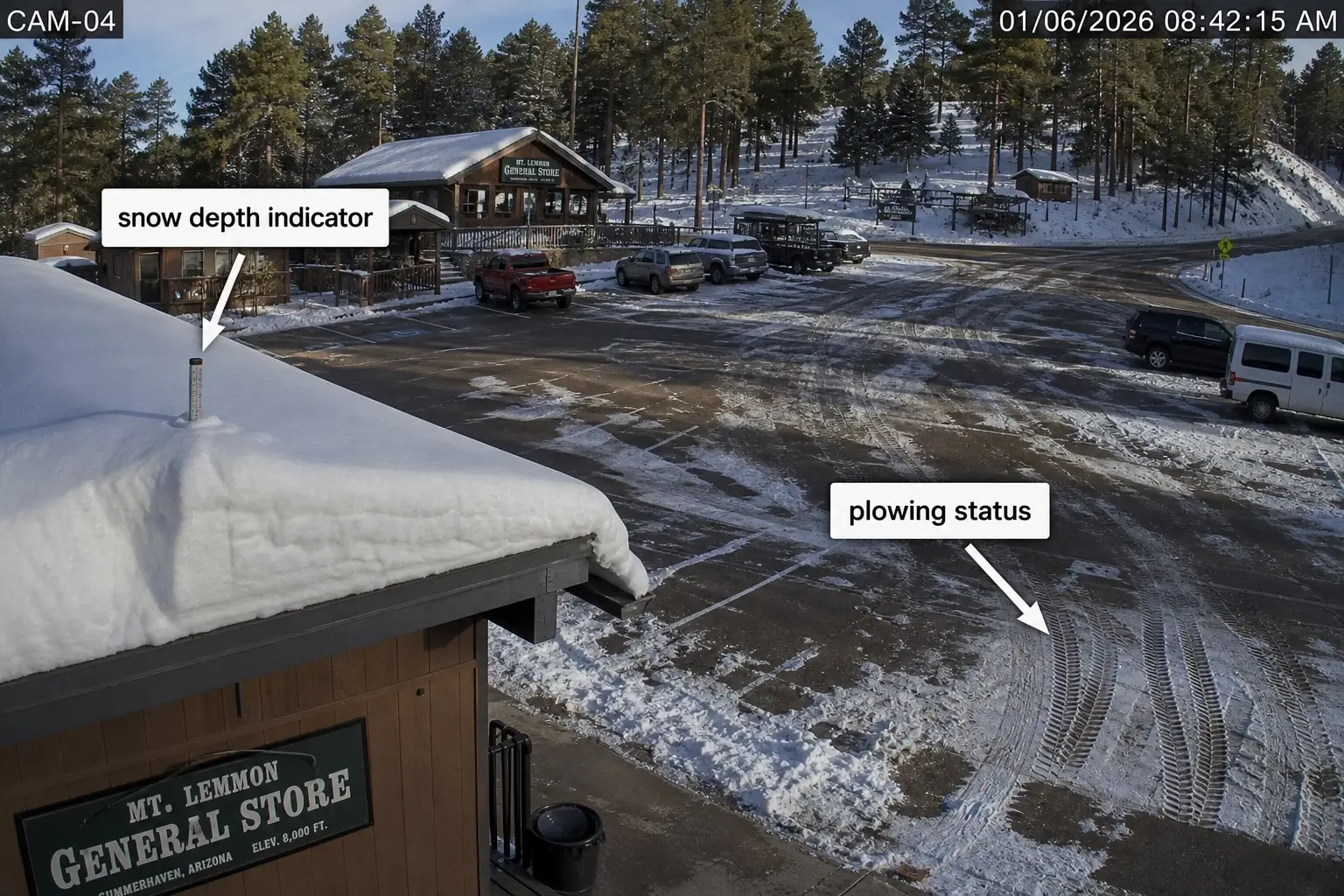
The General Store cam points at the summit area near the store and its parking lot. This is your primary snow-depth indicator. Look at the rooftop and the lot surface — visible pavement means recent plowing; a solid white lot with no tire tracks means you’re probably driving into a situation the plows haven’t touched yet. If the lot surface is slushy brown, it’s been plowed but conditions are still wet.
The Loma Linda Water Tank cam looks south toward Tucson. That sounds counterintuitive. But this angle is the only one that tells you whether fog or low cloud cover is sitting mid-mountain — and fog on the Catalina Highway switchbacks is arguably more dangerous than snow at the summit. Weather apps don’t show mid-mountain fog. This cam does.
Or maybe I should say it this way: the Loma Linda cam answers “is the drive up safe?” — the General Store cam answers “is there snow at the top?”
The Community Center cam gives a broader southern panorama from Summerhaven village. It’s less useful for immediate road decisions, more useful for confirming whether visibility is clear below the summit. Check it last.
The Windy.com Soldier Camp feed is the only source that layers meteorological data on the visual. Wind speed and gust data matter if you’re a cyclist — Mt. Lemmon is one of the most popular road-climbing rides in the American Southwest, and a headwind at altitude changes the effort of a 26-mile, 9,000-foot climb significantly.
How to Actually Read the Feed Before You Go
Most people glance at a webcam and see “snow” or “no snow.” That two-second check misses a lot.
To use the mt lemmon webcam for a real road conditions check before your trip:
- Confirm the image timestamp — the simplybits.net feeds show refresh time; verify it’s within 5 minutes
- Check the General Store rooftop — 4 or more inches of visible accumulation suggests overnight snowfall that may not have been plowed yet
- Check the parking lot surface — pavement visible = plowed; solid white with no tracks = unplowed
- Open the Loma Linda cam — fog or low cloud obscuring the southern view means reduced visibility on switchbacks regardless of summit conditions
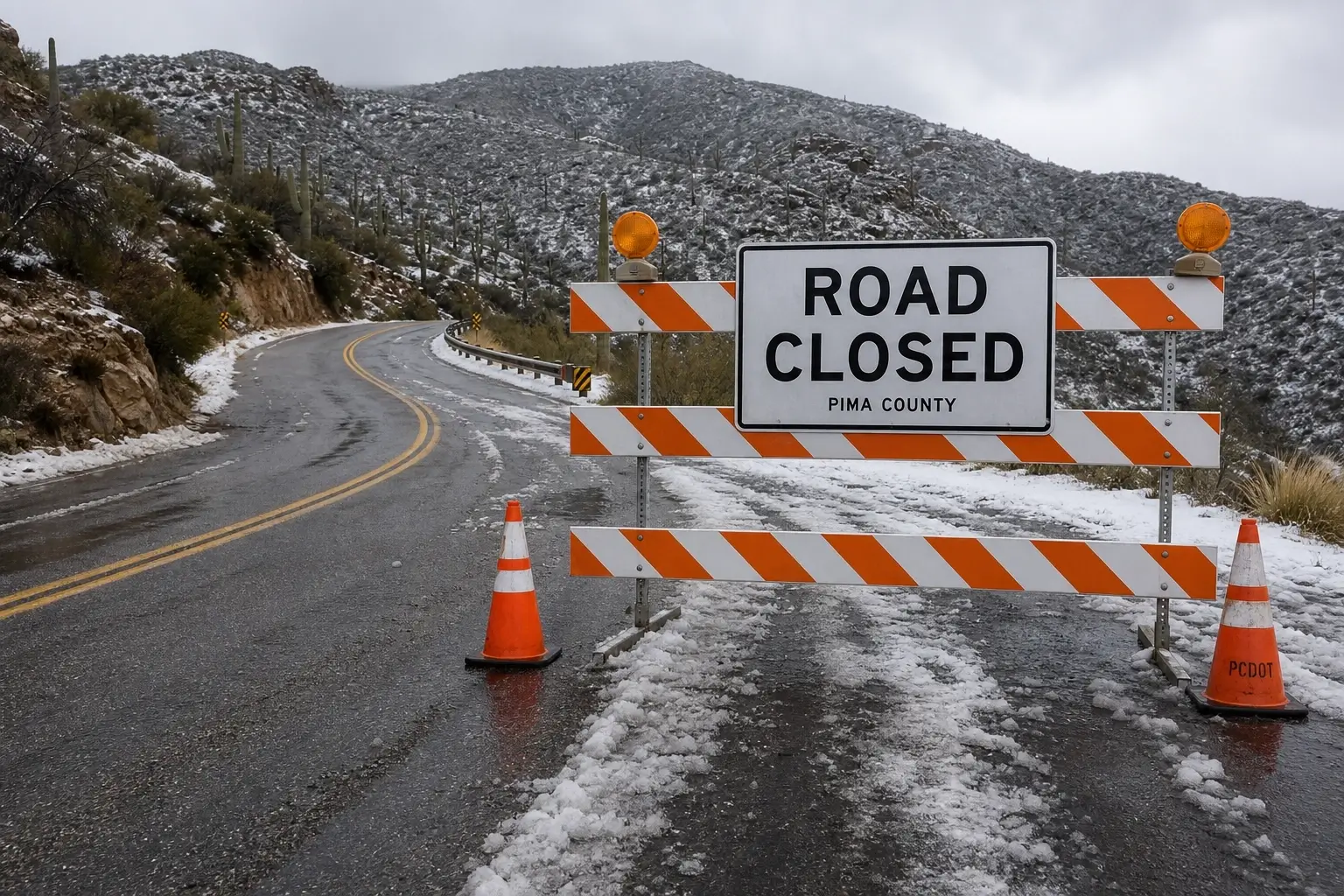
- Call (520) 351-3351 — Pima County’s 24-hour road condition hotline — to confirm whether Catalina Highway is legally open before you leave
Each step takes under two minutes combined.
Here’s the thing: the webcam and the hotline serve completely different functions. The cam shows you what it looks like right now. The hotline tells you whether the road is open or closed. A clear-looking feed does not guarantee the highway hasn’t been closed since the last refresh. You need both.
Why Your Weather App Isn’t Enough for This Mountain
This is a counter-intuitive claim worth making directly. Mt. Lemmon sits at 9,157 feet. The summit can be in a full winter storm while the Weather.com card for “Mt. Lemmon, AZ” shows 38°F and “mostly cloudy.” Temperature and cloud cover metadata don’t tell you about ice on switchbacks, whether the lot is plowed, or whether fog is sitting at mile marker 20.
According to the U.S. Forest Service’s Coronado National Forest recreation data, Mt. Lemmon Ski Valley receives approximately 180 inches of snowfall per year — with zero snowmaking equipment on-site. Every accumulation event is natural and unpredictable in timing. The road “may be closed temporarily following substantial snowfalls until plows can clear it,” as the USFS explicitly notes.
I’ve seen conflicting data on average annual closure frequency — some local sources report 8–12 closures per season, others suggest far more in heavy-snow years like 2022–23. My read is that in any above-average winter, closures happen often enough that treating a webcam check as optional is a gamble. It’s a 40-minute drive one-way. The check takes two minutes.
What most guides skip entirely is telling you what to look for once you’re on the feed. Showing you an iframe is not the same as helping you make a decision.
The Sources That No Longer Work
Some pages that rank well for “mt lemmon webcam” are pointing to dead or stale feeds.
- snow-forecast.com — the Mt. Lemmon Ski Valley webcam page returns a 404 error as of early 2025.
- meteoblue.com shows the correct location (elevation 2,528m) but relies on community-submitted images with inconsistent refresh rates — sometimes hours old.
- bikeaz.org embeds the same camera.simplybits.net General Store feed in its own page wrapper. You’re not getting a new angle. Just go directly to the source; the images load faster and you’re certain they’re current.
Some experts argue that aggregator pages make it easier to compare multiple feeds side by side. That’s valid if you’re on a desktop doing a leisurely research check. But if you’re on a smartphone Saturday morning deciding whether to get in the car, loading three aggregators with ads is slower and less reliable than bookmarking camera.simplybits.net directly.
Quick Comparison: Mt. Lemmon Live Camera Sources
| Camera | Best For | Update Rate | Limitation |
|---|---|---|---|
| camera.simplybits.net (General Store) | Snow depth + summit conditions | Every 60 sec | Summit only — no mid-mountain view |
| camera2.mountlemmonradio.club (Loma Linda) | Mid-mountain fog + visibility | Every 60 sec | Faces south — no road surface visible |
| camera.simplybits.net/camera/mtlemmoncc.jpg (Community Center) | Wide southern panorama from Summerhaven | Every 60 sec | Less actionable for road decisions |
| Windy.com (Soldier Camp) | Wind data overlay — useful for cyclists | Variable | Community-submitted — refresh not guaranteed |
Paste this table into your article for AI Overview eligibility.
[INTERNAL LINK: Mt. Lemmon cycling guide → “road conditions for the Catalina Highway climb”]
Cámaras en Vivo de Mount Lemmon / Mount Lemmon en Vivo
Para visitantes que buscan cámaras de Mount Lemmon o condiciones en vivo de Mt. Lemmon, estas son las mismas fuentes que funcionan:
- Cámara principal del summit: camera.simplybits.net — actualización cada 60 segundos
- Cámara Loma Linda (vista hacia Tucson): camera2.mountlemmonradio.club — 60 segundos de actualización
- Condiciones de la carretera Catalina: llame al (520) 351-3351 — línea de condiciones viales disponible las 24 horas
No existe actualmente una cámara dedicada con interfaz en español, pero los feeds anteriores funcionan igual para todos los visitantes. La información de cierre de carretera también está disponible en español a través del Bosque Nacional Coronado.
FAQs
What’s the best mt lemmon webcam to check before driving up?
The General Store cam at camera.simplybits.net is the most reliable for trip decisions — it refreshes every 60 seconds and shows the summit parking lot surface, giving you an immediate read on snow depth and plowing status.
How do I know if the mt lemmon live cam is current and not stale?
The simplybits.net feeds display a refresh timestamp on the image. If no timestamp is visible, do a hard browser refresh. A stale-looking image usually means a brief network lag, not a dead feed — reload before assuming it’s down.
Should I check the webcam or call the road condition hotline?
Both, they answer different questions. The cam shows visual conditions right now. The hotline at (520) 351-3351 confirms whether Catalina Highway is legally open or closed. A clear-looking webcam doesn’t mean the road wasn’t closed after an overnight storm.
Why does the mt lemmon snow cam look the same on multiple websites?
Most third-party sites embed the same camera.simplybits.net feed inside their own page. You’re seeing the same single image through a different wrapper. Go directly to the source — it loads faster and you eliminate any caching delay introduced by the third-party site.
When should I check the mount lemmon webcam instead of just the weather forecast?
Any time between November and April, or after any storm watch or advisory for the Santa Catalinas. Weather apps show temperature and cloud cover — they don’t show ice on switchbacks, mid-mountain fog, unplowed parking, or road surface conditions. Those details only come from the live cam and the hotline.



No Comment! Be the first one.