




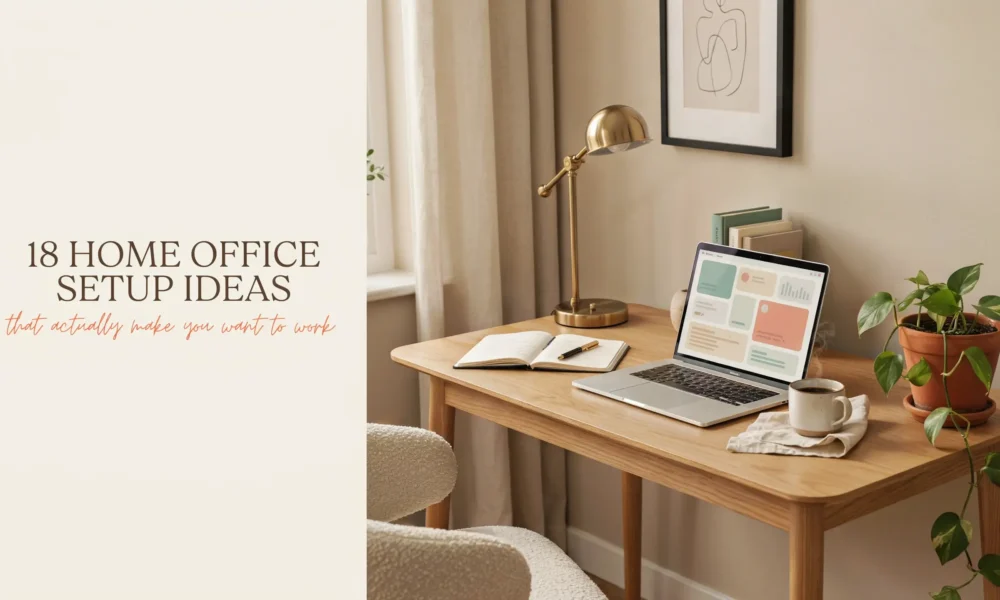
18 Home Office Setup Ideas That Actually Make You Want to Work (Even on Hard Days)
There’s something quietly life-changing about sitting down at a workspace that feels good. Not just functional. Not just “fine.” Actually good. The kind of desk setup where you open...

There’s something quietly life-changing about sitting down at a workspace that feels good. Not just functional. Not just “fine.” Actually good. The kind of desk setup where you open your laptop and feel ready, not defeated by the mess or the chaos or the fact that your “office” is also your living room, guest room, or literal closet.
I’ve set up home offices in apartments with no natural light, in corners of shared spaces, and once, memorably, in a hallway. What I’ve learned is that the space itself doesn’t have to be perfect. But the choices you make inside it matter more than you’d think.
These home office setup ideas cover everything from the first decisions (where to even put the thing) to the finishing details that make the space actually save-worthy on Pinterest and, more importantly, a place you actually want to be.
Whether you’re a renter working around lease restrictions, decorating a small apartment corner, or finally converting that spare room into a proper workspace, there’s something here for you.
First: Choose Your Spot Carefully
Before you buy a single thing, stand in your home and ask yourself where you feel most calm, most focused, and least interrupted.
The best home office isn’t always the biggest room. It’s the one where the light is good in the morning, the foot traffic is low, and you can close something behind you at 5pm. Even a curtain counts.
A few rules that actually matter when choosing your spot:
Natural light should come from the side, not from behind or in front of your screen. Light behind your monitor causes glare. Light behind you makes video calls look terrible and blows out your face. Light coming in from the left or right is the sweet spot. It illuminates your workspace without fighting your screen.
Distance from the TV or kitchen matters more than you think. These are the two biggest focus-killers in a home setup. Even if you have self-discipline, proximity creates temptation.
Floor space isn’t the only option. Vertical wall space counts. An awkward hallway nook, a corner of the bedroom, or a deep closet (more on that later) can become a fully functional home office setup with the right thinking.
1. Build a Cloffice (The Closet Office That Changes Everything)
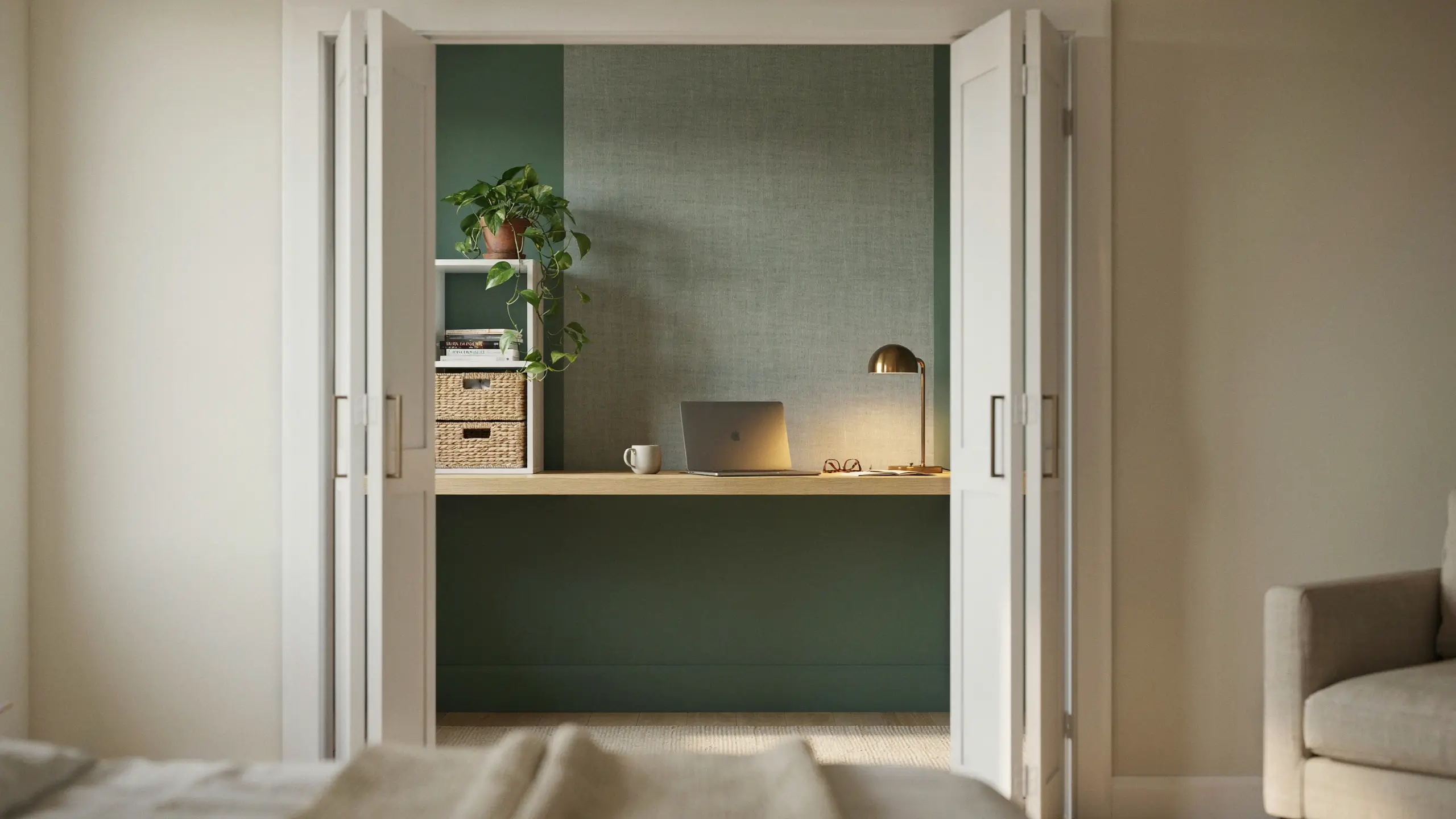
If you have a spare closet you’re not using for clothes, remove the rod, slide in a desk, and close the doors at the end of the day. Done. You now have an office with a door.
This is one of the most underrated home office setup ideas for small spaces and renters. The closet walls give you instant built-in storage on the sides. The doors mean you can completely hide the workspace when you’re not using it, which is genuinely better for your mental health than staring at your desk from the couch every evening.
A basic IKEA KALLAX unit on one side with a simple floating desk surface across the middle of the closet gives you a full setup for under $300. Paint the inside of the closet a different color from the rest of the room for a little “reveal” moment every morning when you open the doors. Deep forest green, navy, or warm terracotta work beautifully here.
Renter note: Removable peel-and-stick wallpaper inside the closet is deposit-safe and absolutely stunning in photos.
2. Pick the Right Desk for Your Actual Space (Not Your Dream Space)
Most people start with the desk. The mistake is choosing one based on what looks good online rather than what fits the room.
Measure twice. A desk that’s too large for the space eats up square footage and makes the room feel cramped. A desk that’s too small leaves you hunched over and shuffling things around constantly.
Here’s a quick guide:
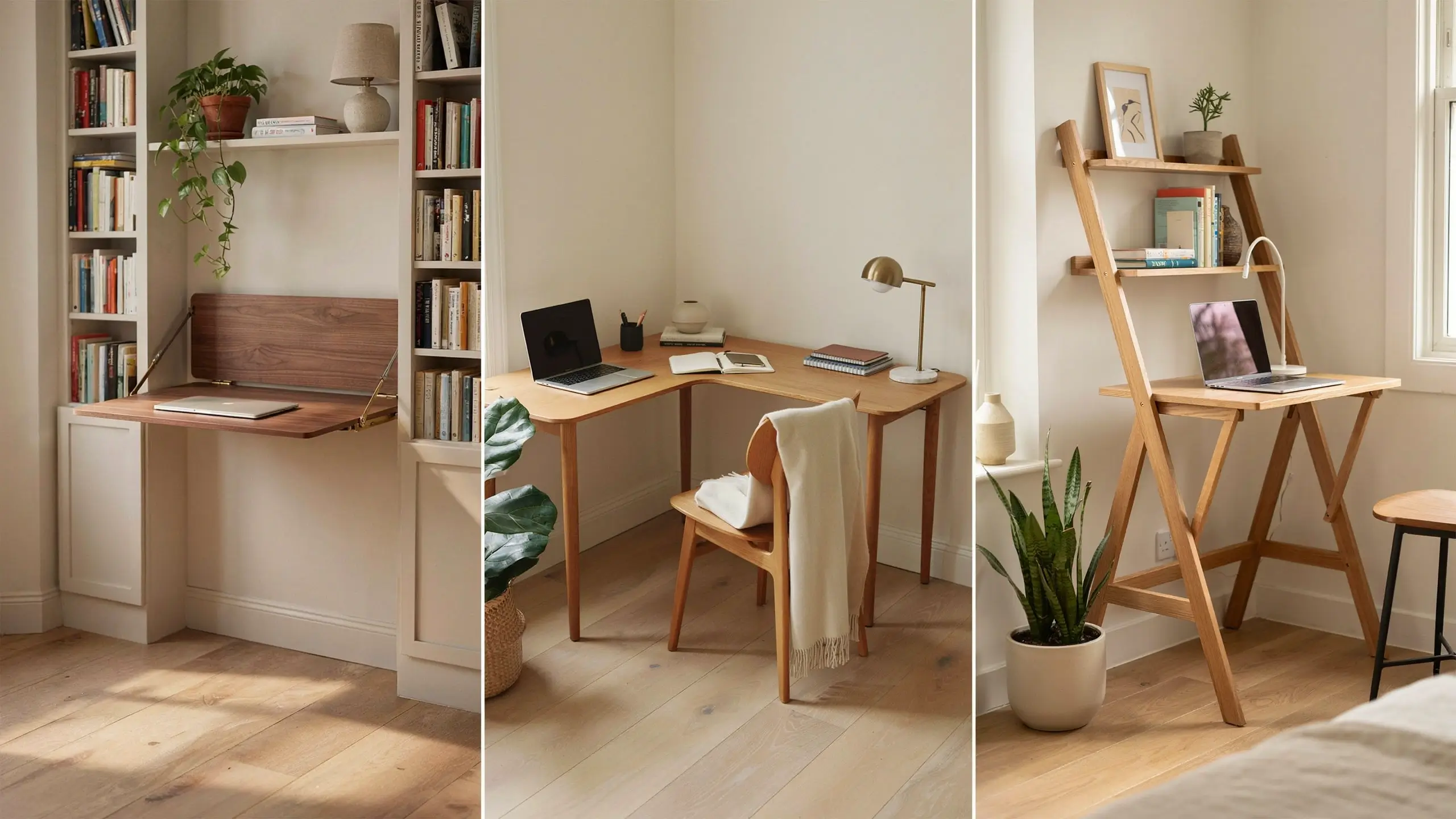
- Under 200 sq ft of usable space: A wall-mounted fold-down desk or a slim writing desk (around 40–48 inches wide) works best.
- Corner room or dedicated office: An L-shaped desk opens up your layout significantly and gives you a monitor zone and a paper zone.
- Shared space like a bedroom: A ladder desk with built-in shelving above uses vertical space without eating floor space.
- Needs to disappear at 5pm: A folding desk that stores in a closet is worth every penny.
For style, warm oak or walnut tones are the most versatile. They work with cream, white, sage green, charcoal, and basically every wall color that’s popular right now. A white desk can feel fresh and bright but shows every smudge, so be honest with yourself about how much cleaning you’re willing to do.
3. Invest in the Chair Before Anything Decorative
This is the advice no one takes until they have back pain for three months.
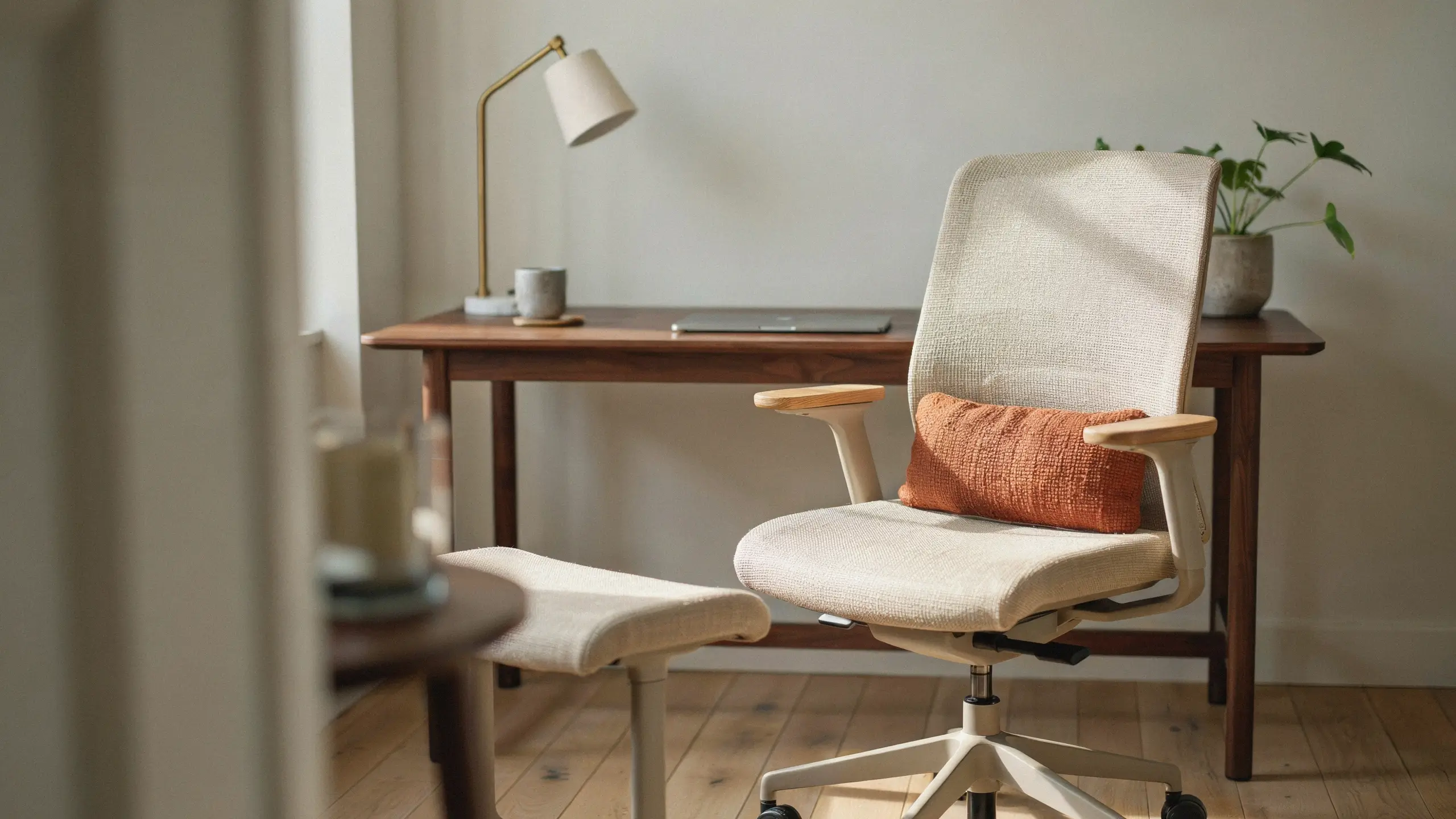
Your chair is the single purchase with the most direct impact on how you feel at the end of a workday. An uncomfortable chair doesn’t just cause pain. It saps your focus, shortens your work sessions, and generally makes working from home feel like punishment.
You don’t need a $1,500 Herman Miller. You need a chair where:
- Your feet rest flat on the floor (or on a footrest if needed)
- Your knees are at roughly a 90-degree angle
- Your lower back has some support
- Your elbows can rest at desk height without your shoulders creeping up
Budget picks in the $150–$300 range from brands like Sihoo, Hbada, or Branch get the job done. If budget is really tight, a firm dining chair at the right height with a lumbar cushion tucked behind you is significantly better than a soft couch or a stool that’s too low.
One thing that often gets overlooked: A seat cushion on a too-hard chair, or an anti-fatigue mat if you spend time standing, can make an enormous difference in comfort for almost no money.
4. Layer Your Lighting Instead of Relying on the Ceiling
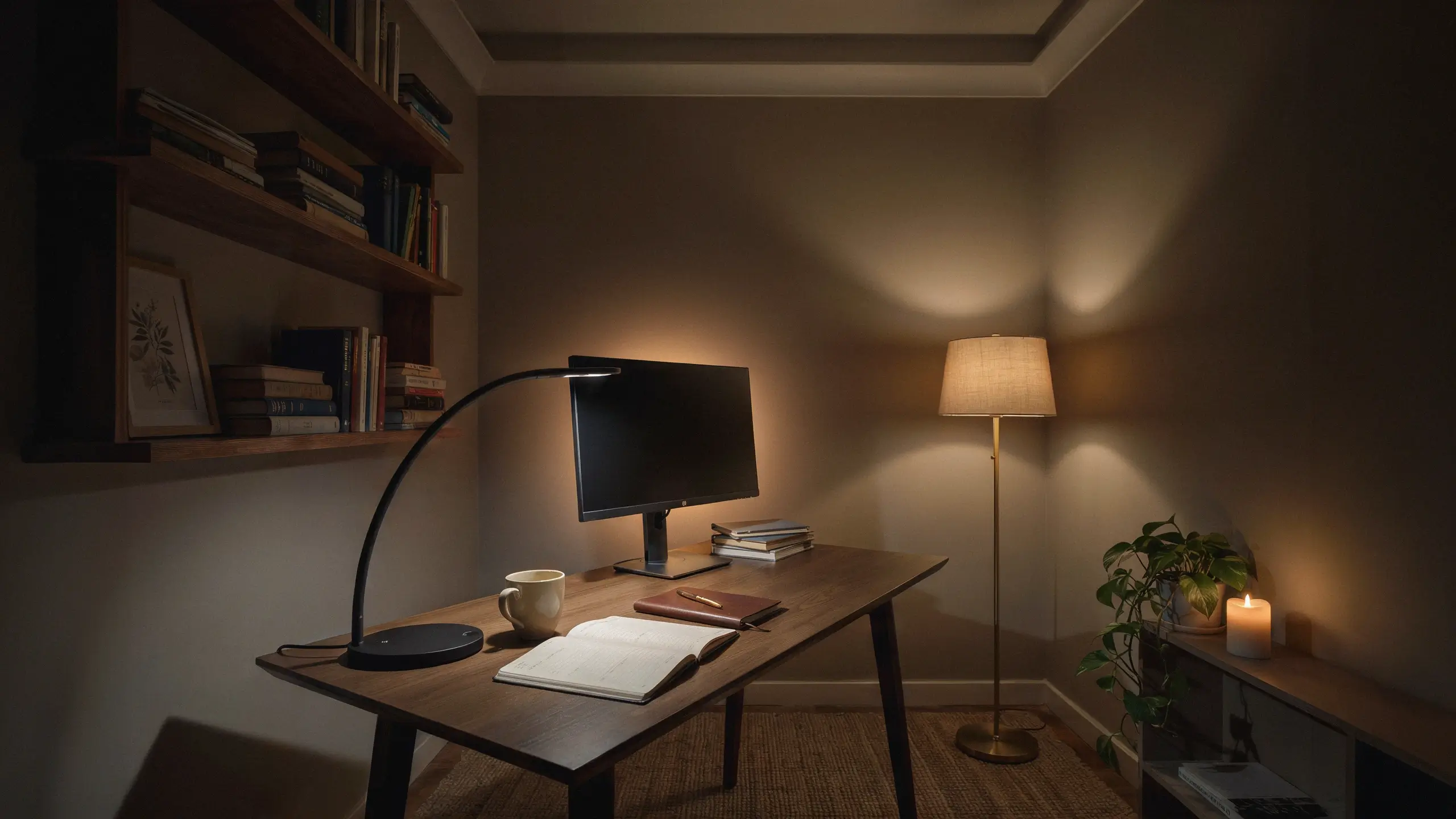
Overhead lighting is the enemy of a cozy, productive home office. It flattens everything, creates harsh shadows under your eyes on video calls, and makes the whole room feel like a waiting room.
Instead, build layers:
Task lighting: A desk lamp with a daylight bulb (5000–6500K) illuminates your actual work surface and keeps you alert during focused tasks. Position it so it doesn’t cast a shadow across your keyboard if you’re right-handed, light from the left is ideal.
Ambient lighting: A floor lamp in the corner, a table lamp on a bookshelf, or LED strip lights behind your monitor or under a shelf add warmth and depth to the room without blinding you.
Bias lighting: A strip of warm LED lights behind your monitor, pointed at the wall, reduces eye strain significantly during long screen sessions. This is one of those small additions that looks amazing in photos and actually improves how your eyes feel by the end of the day.
For video calls: You want a soft light source in front of your face, not behind you. A ring light on your desk or a lamp just off to one side at face height works well. Natural light from a window in front of you is even better.
5. Get Your Monitor Height Right (It Matters for Your Neck)
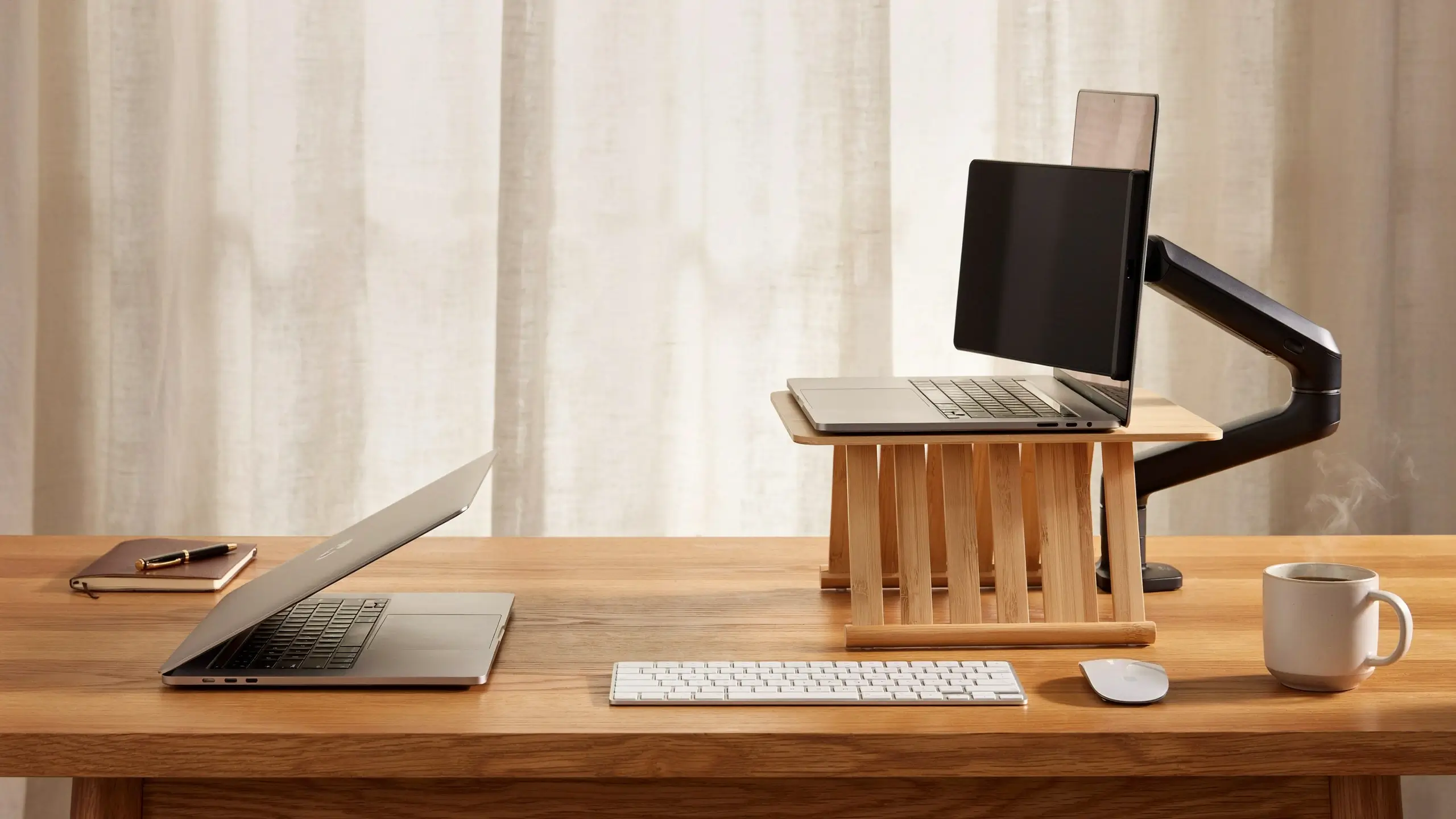
If you’re working from a laptop directly on your desk, your neck is probably in a bad position. Most people spend months working like this before they realize why their shoulders hurt.
The top of your screen should be at or slightly below eye level. On a laptop this usually means raising it up with a stand (there are gorgeous bamboo and acrylic options from $20 to $60) and pairing it with an external keyboard and mouse so your arms stay at a comfortable angle.
For a desktop monitor or external screen, a monitor arm is worth every dollar. It takes the monitor off the desk surface entirely, freeing up usable space and letting you adjust the height precisely. It also just looks incredible. One of the cleanest desk aesthetic moves you can make.
If you use two monitors: position them side by side at a slight inward angle, with your primary screen directly in front of you. Don’t place them at a sharp angle that forces you to twist your neck all day.
6. Design a Wall Behind Your Desk That Works as a Background
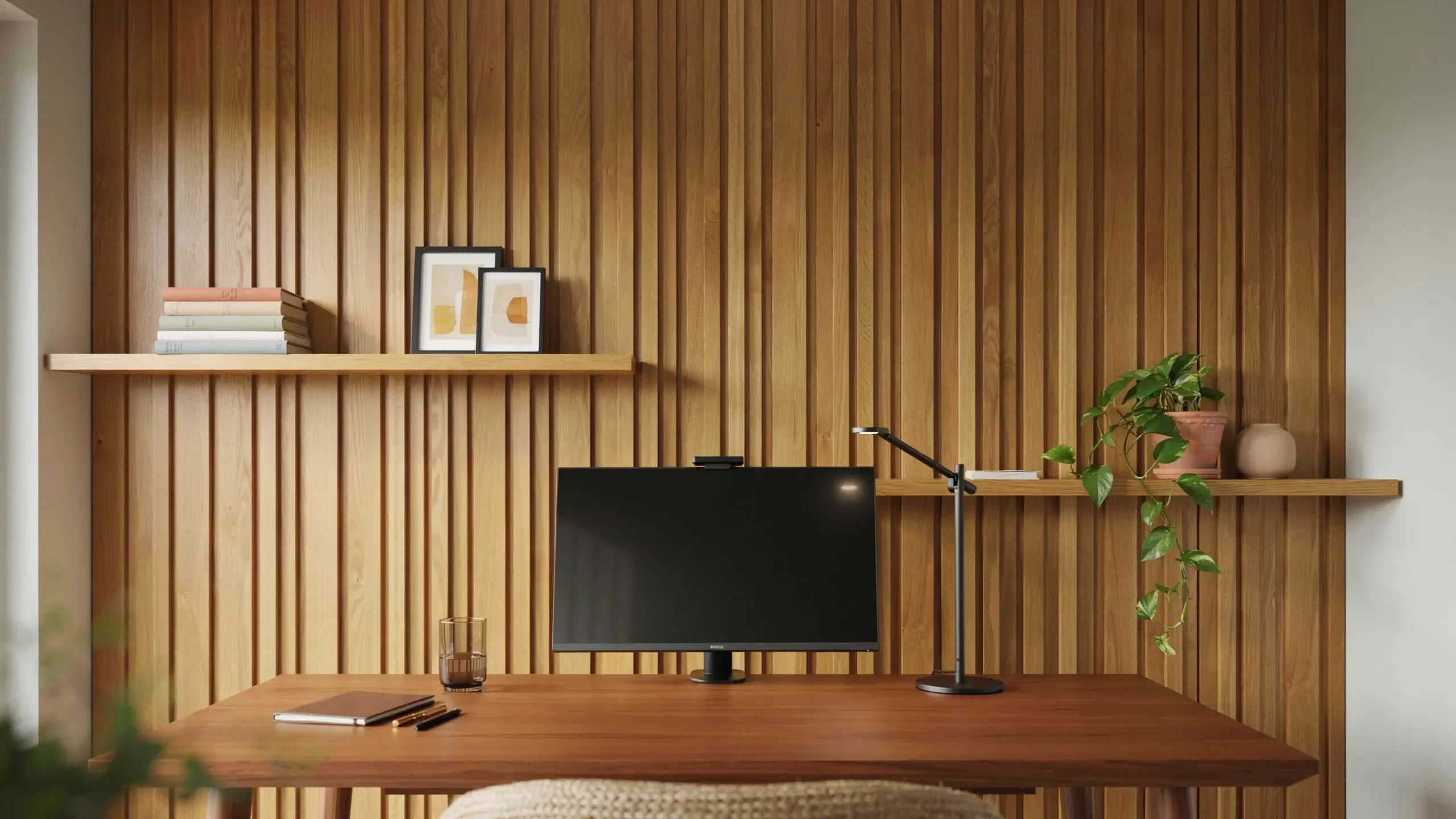
Your desk wall is the background of every video call, every “from my home office” social media post, and every photo you take of your setup. It deserves intention.
Some options that look amazing in real life and in photos:
Gallery wall: A curated mix of framed prints, photos, and small shelves. Keep the frames in one or two metal finishes (black and brass, or all matching wood) and vary the sizes. Not everything has to be centered.
Peel-and-stick wallpaper panel: You don’t have to wallpaper the whole room. Just the wall behind your desk, maybe 6–8 feet wide, creates a statement without overwhelming the space. Linen texture, subtle geometric patterns, and warm floral prints are all popular right now and all completely removable for renters.
Wood slat panel: This is the accent wall idea that went viral in 2025 and honestly deserves the attention. Thin wooden slats (or their peel-and-stick equivalents) in natural wood tones add warmth and texture that photographs beautifully. You can find adhesive versions that require no drilling.
Floating shelves with styling: A row of shelves at varying heights behind your desk gives you storage and display space. The key to making them look styled rather than cluttered is to mix books (stacked and standing), a trailing plant, a small candle, one or two frames, and leave some breathing room.
7. Solve the Cable Problem Before It Defeats You
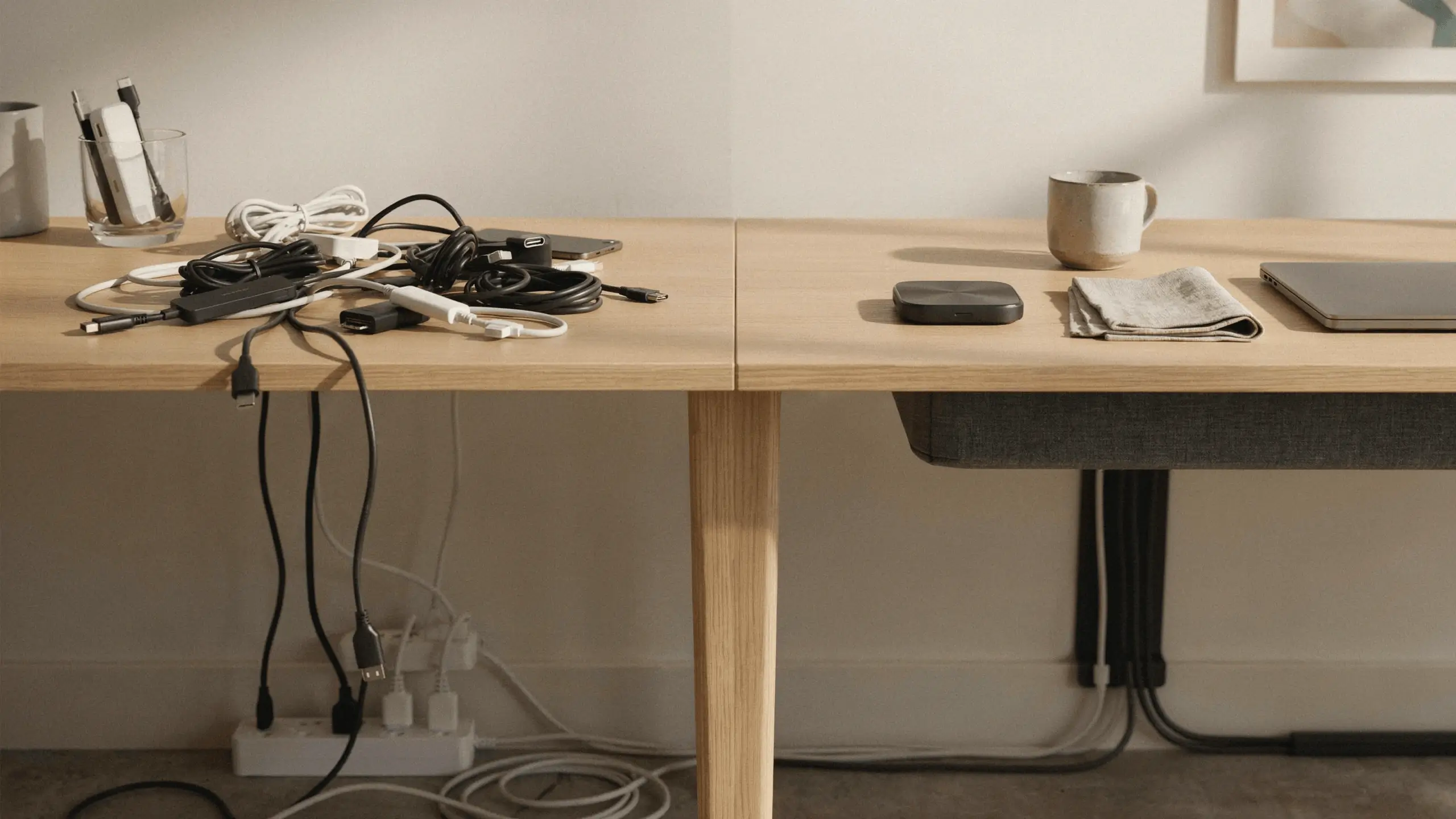
Visible cables are the fastest way to ruin an otherwise beautiful home office setup. And they accumulate fast: power strip, laptop charger, monitor cable, desk lamp, phone charger, external keyboard, speakers. Suddenly there’s a pile of spaghetti under your desk that you’re pretending not to see.
A few solutions that actually work:
- A cable management box (basically a plastic or fabric box that hides your power strip and all the cords plugging into it) is under $20 and immediately cleans up the desktop.
- Adhesive cable channels along the back edge of your desk route cords to the wall without drilling.
- Velcro cable ties (not twist ties, which come undone constantly) bundle cords together under the desk.
- A wireless charging pad for your phone eliminates at least one cable entirely.
- Going wireless for your keyboard and mouse gets rid of two more.
If your desk is against a wall, running cables along the baseboard with adhesive clips keeps them tidy and is completely renter-friendly and removable.
8. Add Storage That Doesn’t Look Like an Office Supply Store
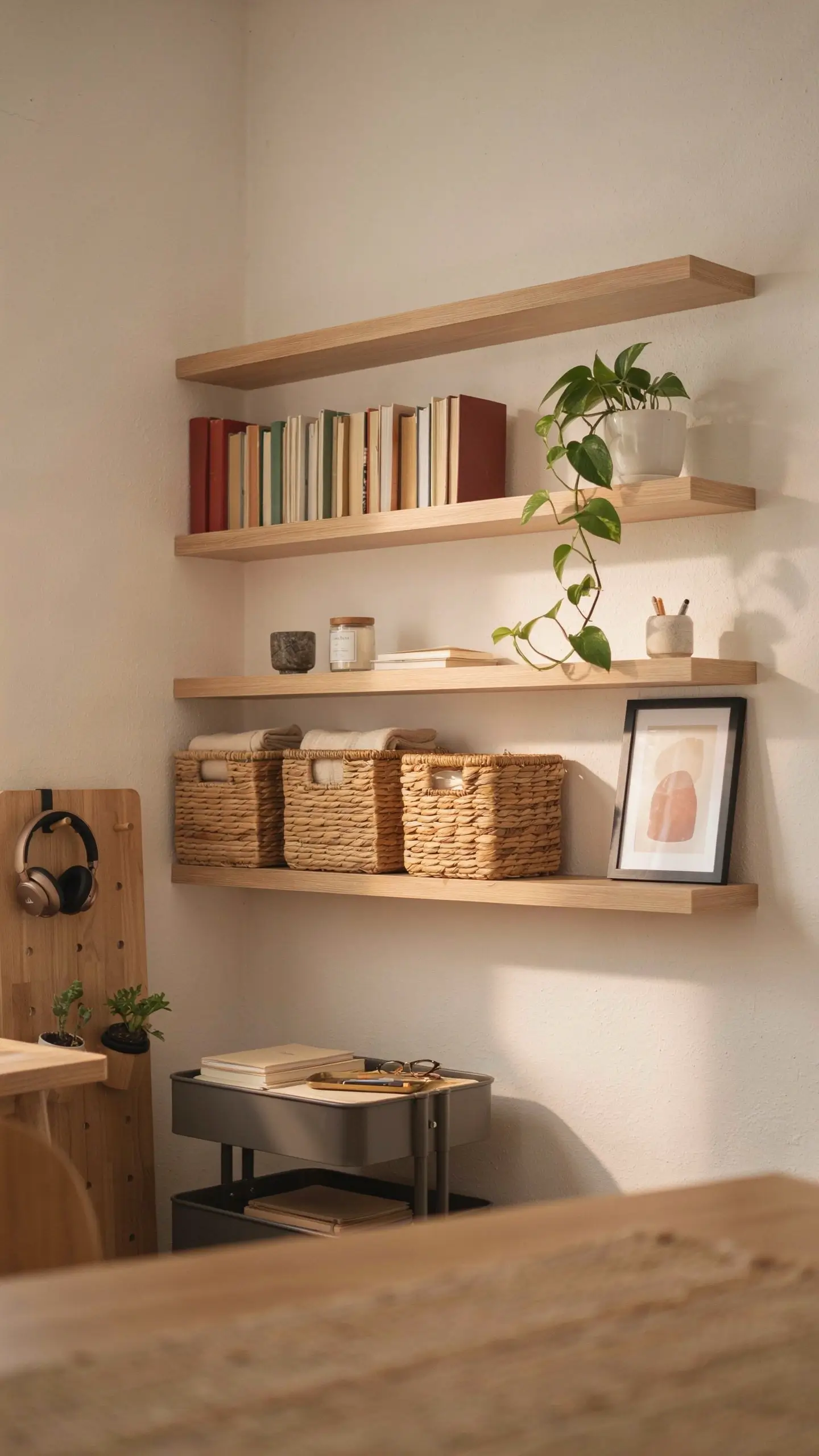
Most home office storage solutions look like they belong in a corporate break room. The goal is storage that’s functional but also visually quiet, fits your aesthetic, and doesn’t announce itself.
What works:
Matching baskets or bins on shelves. A few woven seagrass baskets or linen fabric bins on your shelves immediately calm the visual chaos of loose papers and office supplies. Label them if you like.
A rolling cart (the IKEA RÅSKOG or similar). Wildly underrated. It holds supplies, can be tucked under the desk when not in use, and rolled out when you need it. Paint it or add a contact paper top if you want it to feel less “utility closet.”
Desk organizer trays inside a drawer, not on top. Keeping your desktop surface clear is one of the easiest ways to make your office look bigger, calmer, and more intentional. Everything that lives on the desk gets questioned: does this actually need to be within reach right now?
A wall-mounted pegboard. This one has been on Pinterest forever and it’s still genuinely useful. A pegboard above your desk (mounted on the wall or leaning against a shelf for renters) holds scissors, headphones, notes, small plants, and supplies with complete flexibility to rearrange.
9. Bring in Plants (More Than You Think You Need)

Plants are the single biggest mood-shifter in a home office setup. Not because they’re trendy, but because they genuinely soften a space and make it feel less like staring at a blank wall for eight hours.
You don’t need to become a plant parent. A few low-maintenance options that look beautiful and are very hard to kill:
- Pothos: Trails beautifully off a shelf or hangs from a hook. Tolerates low light and irregular watering.
- ZZ plant: Almost impossible to kill. Glossy, architectural leaves. Looks expensive.
- Snake plant: Stands tall in a corner, filters air, needs very little water.
- A small succulent or air plant on the desk: Adds a living element without taking up much space.
For a polished look, use pots in two or three consistent finishes, terracotta and white, or all matte black, rather than a random collection of whatever plastic pots the plants came in. The container matters as much as the plant.
10. Create a Renter-Friendly Setup That Feels Permanent
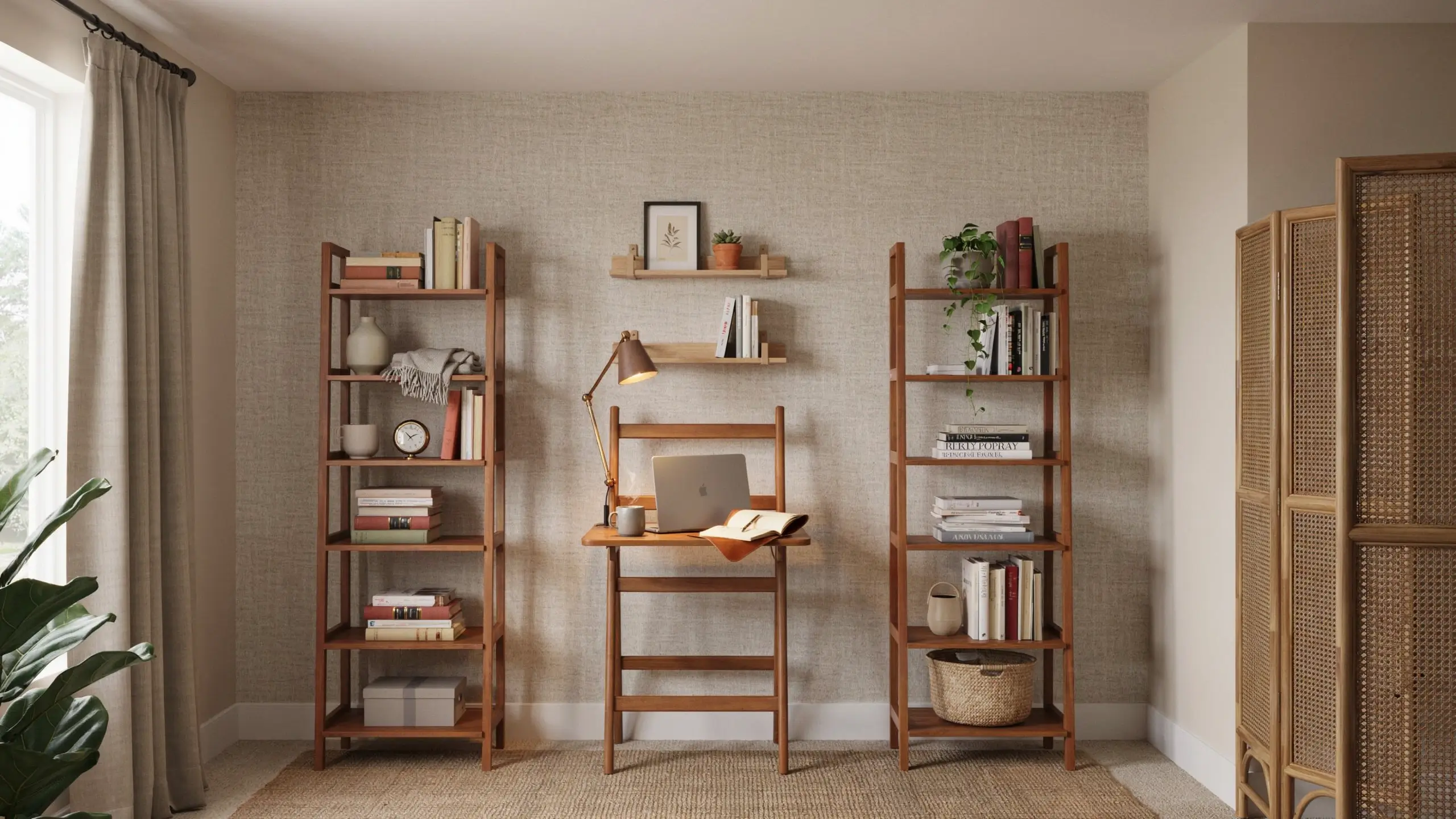
If you rent, you’ve probably been making do with a half-hearted workspace because you didn’t want to invest in a place you’d eventually leave. This is a mistake.
You spend eight or more hours a day in your workspace. It deserves investment even if you’re renting. The key is choosing solutions that can move with you.
No-drill options that actually look beautiful:
- Ladder desks that lean against the wall (no anchoring required, stable by design)
- Freestanding bookshelves on either side of your desk that create a built-in look
- Command strips for lightweight shelves (check weight limits, but these hold more than you’d expect for small items)
- Peel-and-stick wallpaper panels on the desk wall
- Freestanding room dividers to create a visual boundary between your workspace and the rest of the apartment
Renter note on window coverings: If the apartment has basic blinds that let in too much glare, blackout curtain panels on a tension rod require no drilling and make a dramatic difference in light control.
11. Deal With Noise (The Problem Everyone Ignores Until It’s Too Late)
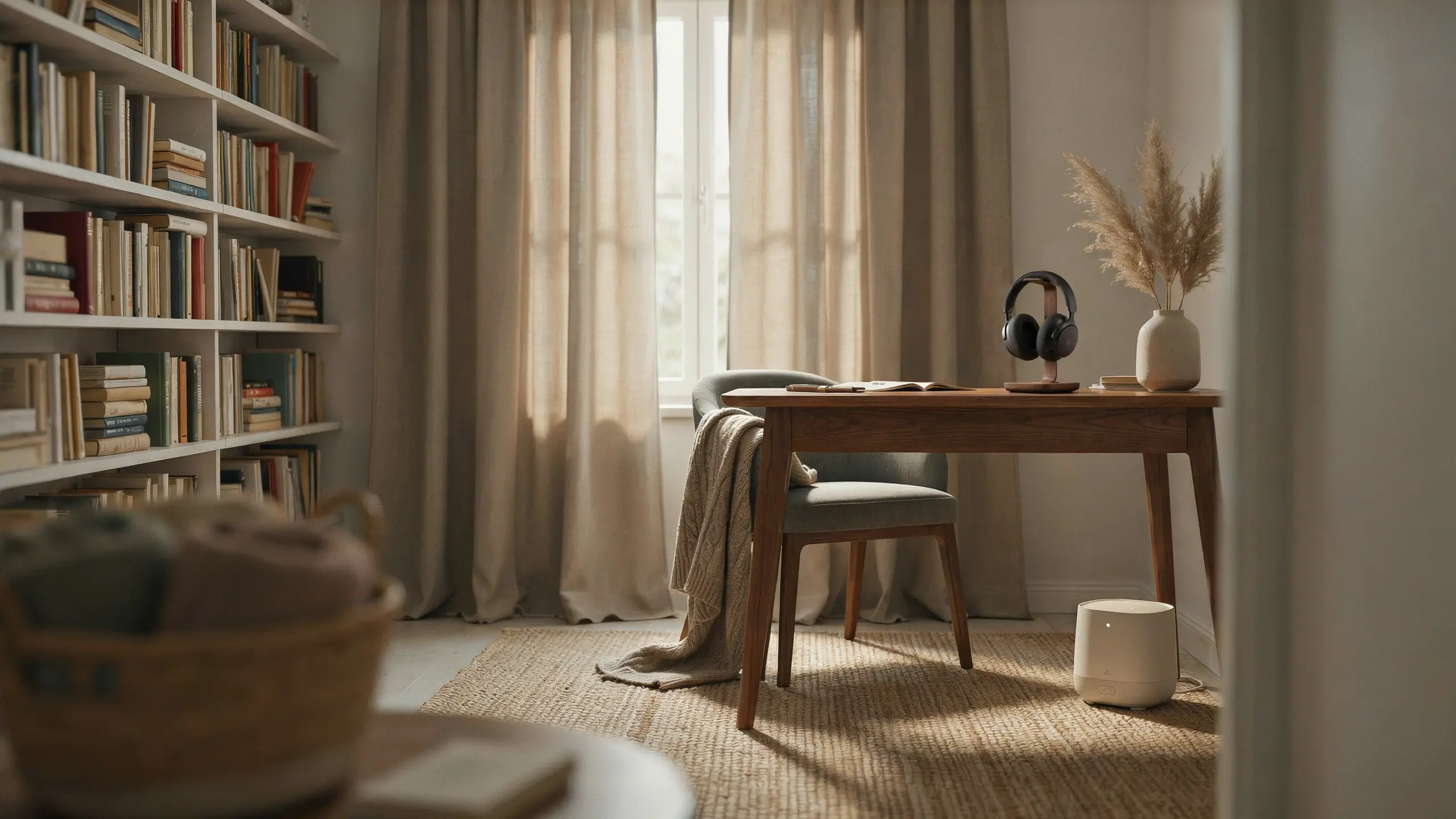
Sound is one of the biggest overlooked elements of a home office setup, especially in apartments or shared homes. You can have the most beautiful workspace in the world and still lose your focus to the neighbor’s music, the street traffic, or the TV in the next room.
A few ways to manage it:
Rugs. A rug under your desk and chair isn’t just aesthetically warm. It absorbs sound significantly, especially in rooms with hard floors.
Curtains. Heavy linen or velvet curtains help muffle outside noise more than most people realize.
A bookshelf on a shared wall. Books are one of the best sound absorbers available. A bookshelf on the wall you share with a noisy neighbor helps more than you’d expect.
Noise-canceling headphones. For serious focus work, these are worth the investment. You don’t need to use them at full noise-canceling capacity; even having them on signals to your brain that it’s time to focus.
A white noise machine or app. Useful for masking inconsistent sounds (footsteps, voices) that pull attention more than steady background noise.
12. Style Your Desk Surface Like You Mean It
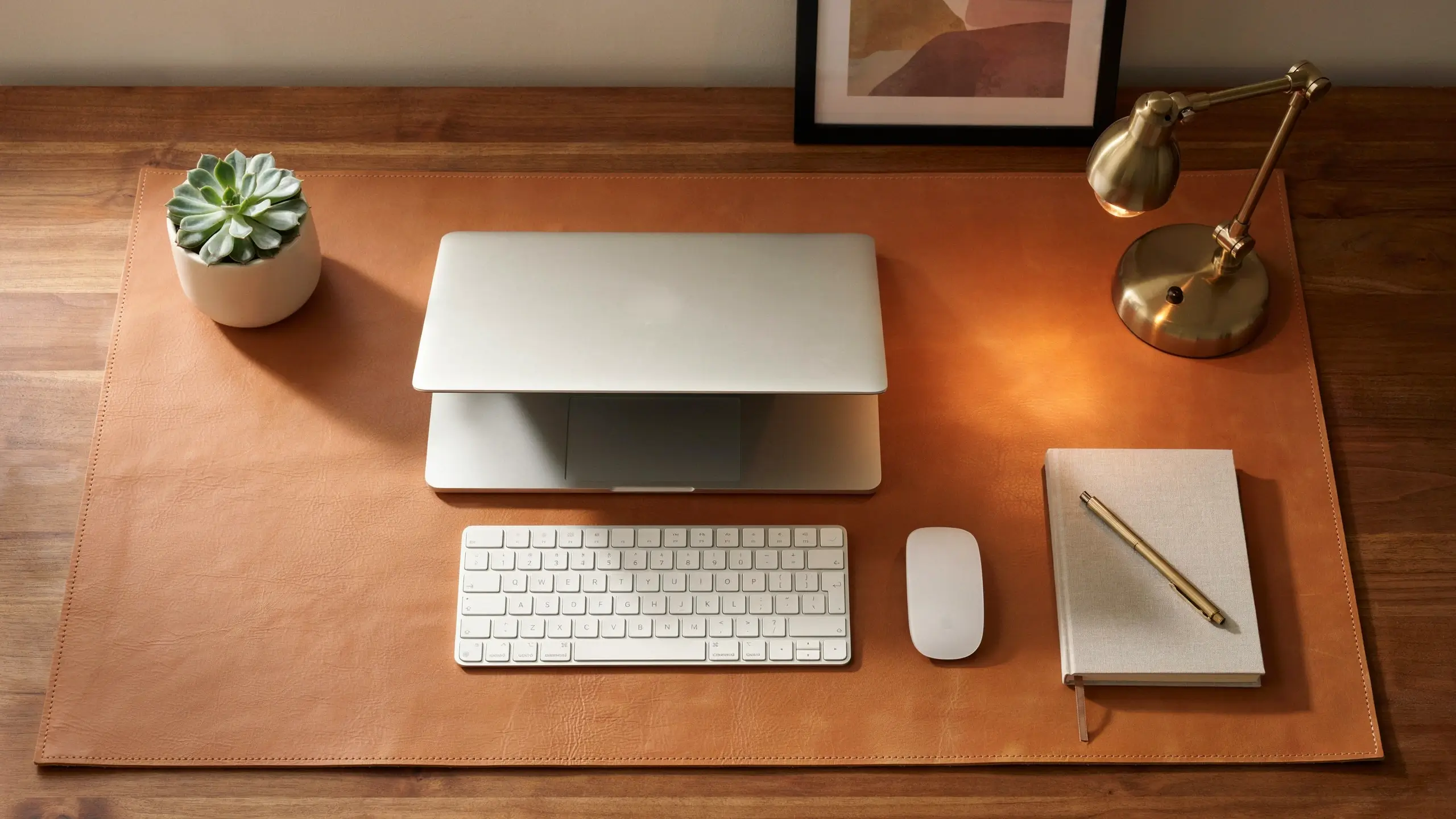
The way your desk surface looks matters. Not just for Instagram. A tidy, intentionally styled desk actually makes you feel more in control and more ready to work. There’s research behind this.
The basic formula for a desk that looks styled but not staged:
- One main work tool visible (laptop, monitor, or sketchpad)
- One light source (lamp, not the overhead)
- One living element (plant, small succulent, a bud vase)
- One personal item (a small print, a meaningful object, a candle)
- Everything else hidden or organized out of sight
A desk mat or leather pad underneath your keyboard and mouse ties the surface together visually and makes the whole setup look more intentional. It also protects the desk surface and makes your mouse work better on wood finishes.
Cord-free is the dream. Wireless keyboard, wireless mouse, and a single cord to your laptop or monitor is a huge visual upgrade from the average setup.
13. Consider a Standing Option, Even a Modest One
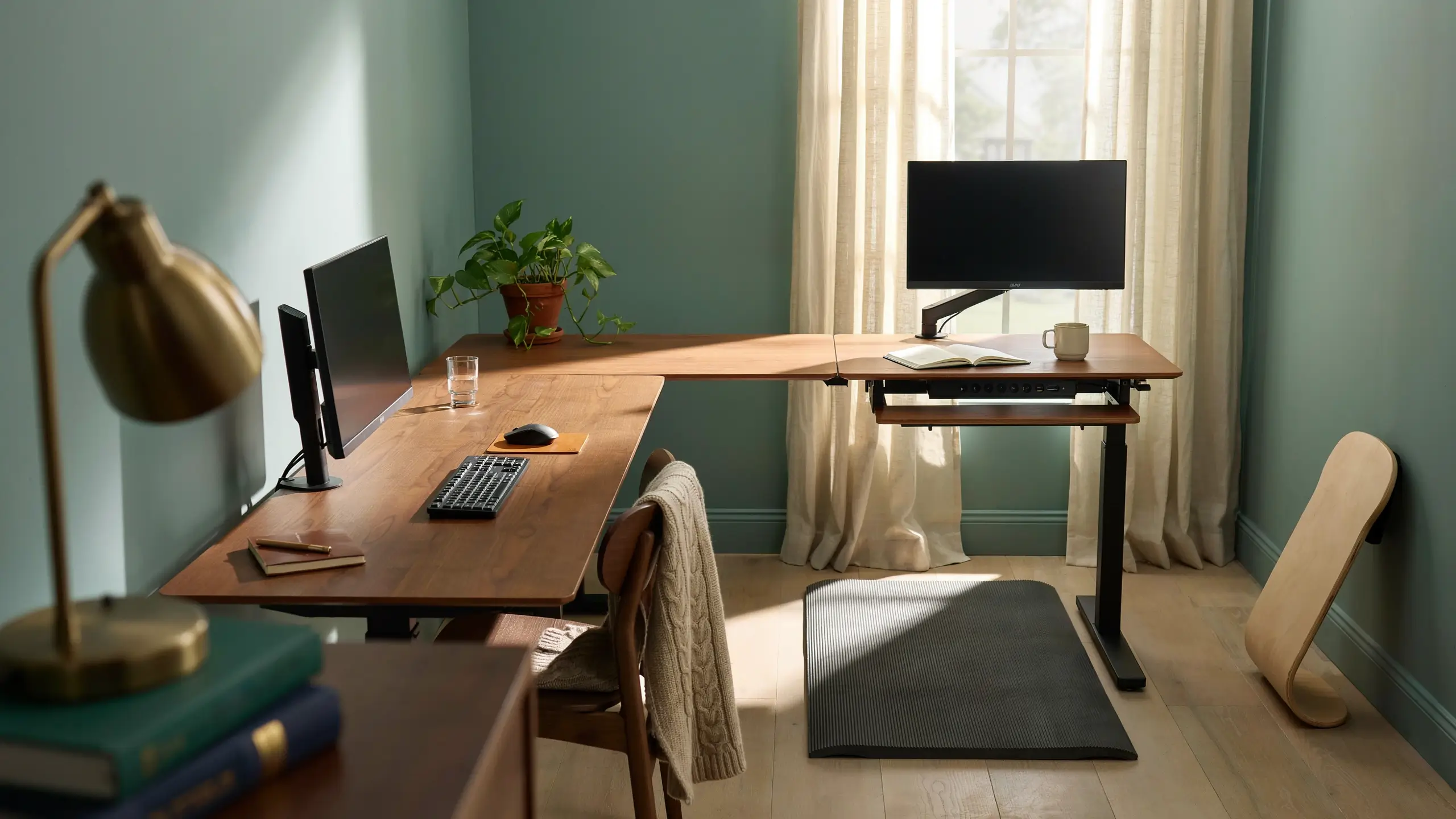
Spending all day seated isn’t just uncomfortable. It affects your energy levels, your posture, and your focus in ways that creep up on you slowly.
You don’t need a full motorized standing desk to get the benefits. A few options:
A sit-stand converter sits on top of your existing desk and raises your monitor and keyboard to standing height. You can swap between positions in seconds without buying a whole new desk. These range from about $80 for basic models to $300 for smooth spring-loaded versions.
A fixed-height standing desk for one zone. Some people set up a counter-height surface (bar height, around 40–42 inches) alongside their primary desk for standing tasks like calls, reading, or brainstorming.
A balance board or anti-fatigue mat if you do stand. Without one, standing for long periods on a hard floor is just as tiring as sitting wrong. A good anti-fatigue mat makes the standing option sustainable.
Even switching between sitting and standing twice a day, once mid-morning and once mid-afternoon, makes a meaningful difference in how you feel by 4pm.
14. Build a Video Call Background You’re Proud Of
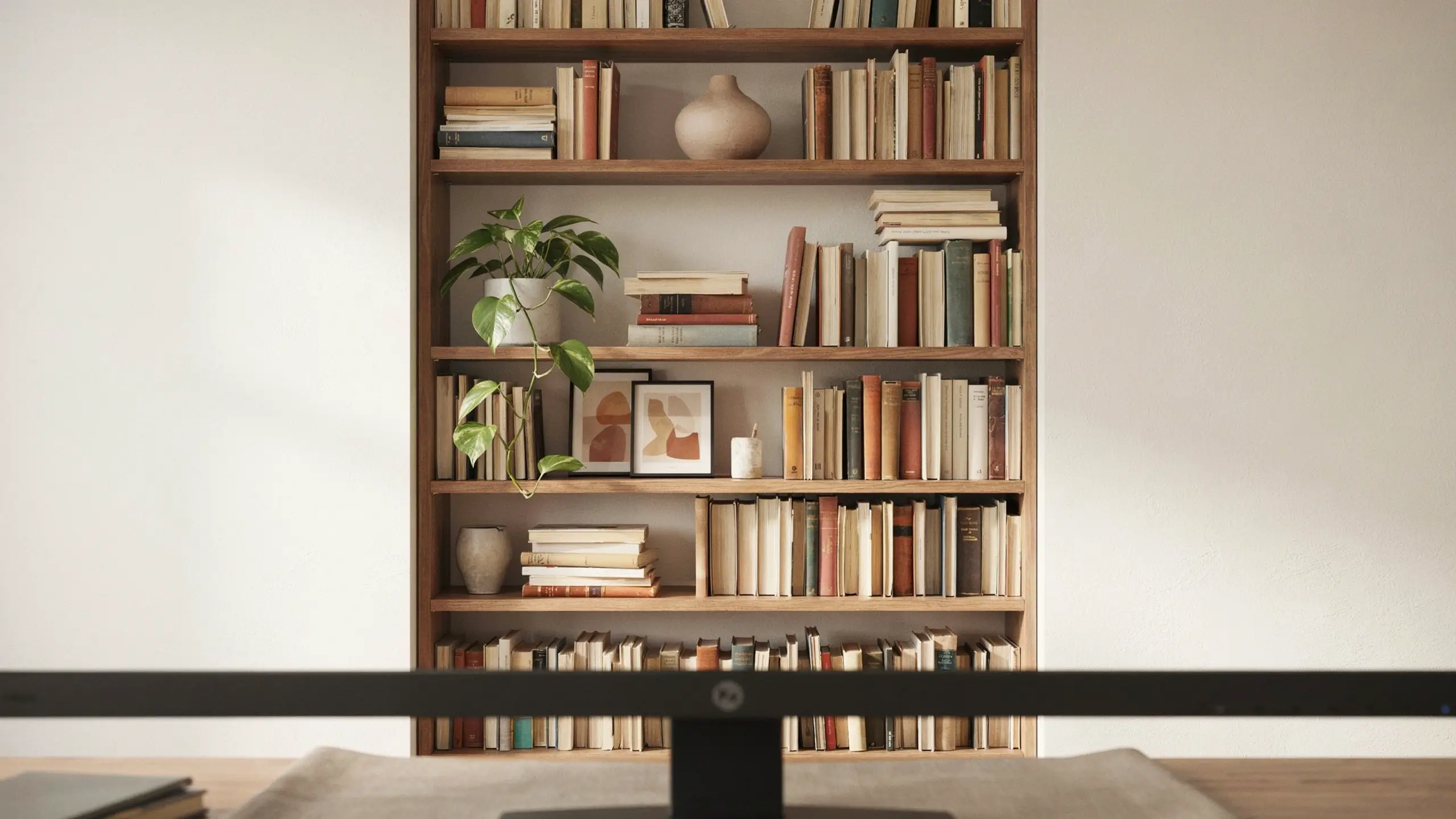
Create a warm and professional video call background with this organized wooden bookshelf setup. Featuring books, greenery, and minimalist decor, it instantly elevates the aesthetic of your Zoom and Microsoft Teams meetings.Create a warm and professional video call background with this organized wooden bookshelf setup. Featuring books, greenery, and minimalist decor, it instantly elevates the aesthetic of your Zoom and Microsoft Teams meetings.
Video calls are part of most home office setups now, and yet most people are one camera flip away from revealing a pile of laundry, a cluttered bookshelf, or a wall that just says “I haven’t thought about this.”
Your video call background doesn’t need to be elaborate. It needs to be intentional.
What works:
- A styled bookshelf with organized books, a few plants, and framed prints
- A wall with one piece of art or a gallery wall
- A plain, clean wall in a warm or interesting color
- An accent wall or peel-and-stick wallpaper panel
What to avoid:
- A window directly behind you (blown-out bright background, your face in shadow)
- A blank beige wall (makes you look like you’re being deposed)
- A cluttered or unfinished background that pulls attention from you
Soft light in front of your face is the video call secret most people don’t know. A lamp placed to your left or right at face height, or a window in front of you rather than behind, is the difference between looking like you’re on a podcast and looking like a witness on the news.
15. Use Color Intentionally, Starting With the Wall
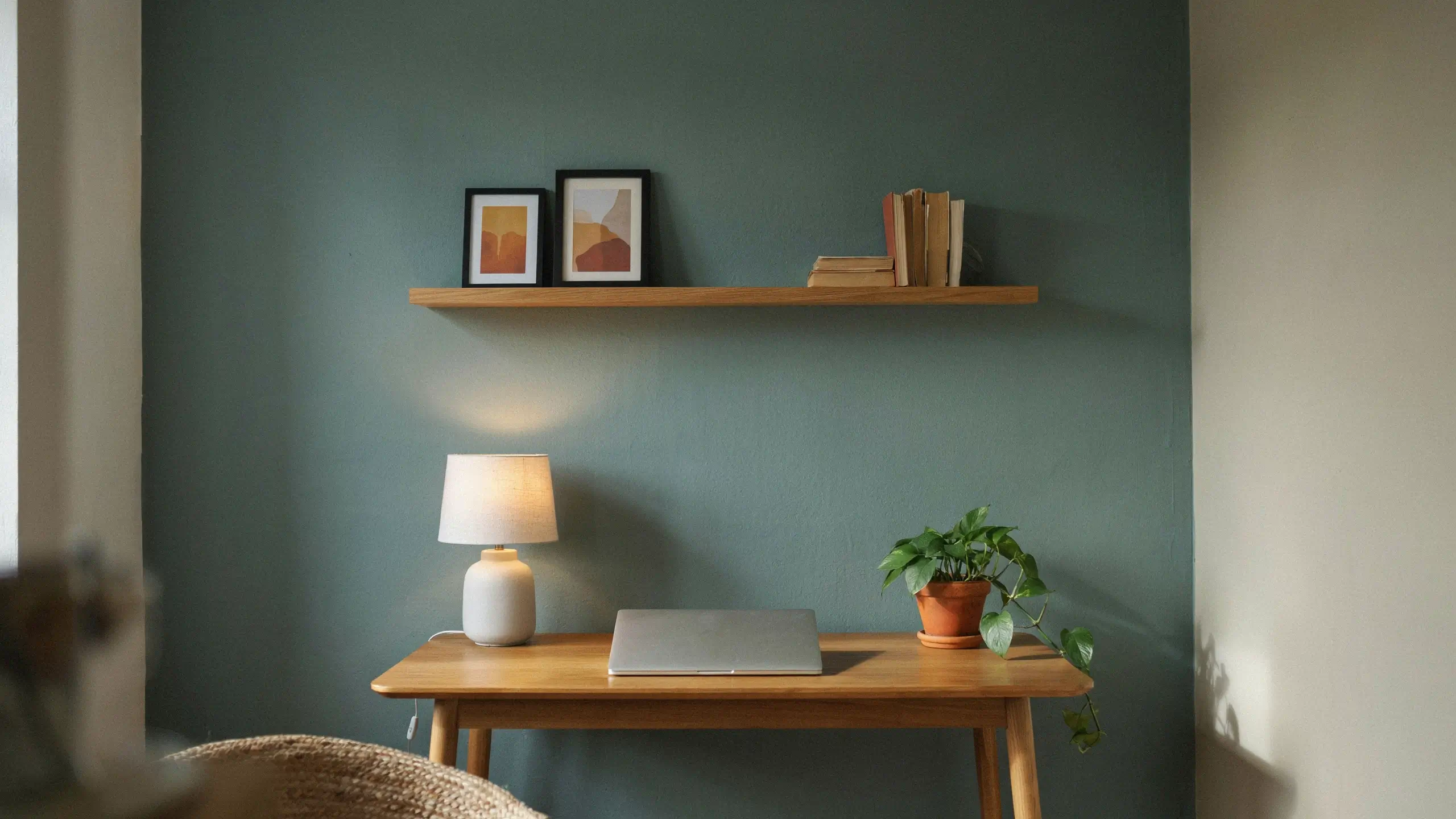
Color is one of the most powerful tools in a home office setup, and most people either ignore it entirely (white walls everywhere) or overcorrect (a dark moody room that photographs beautifully but makes them feel sleepy by 10am).
Some colors that work well for focus and photography:
Warm white or cream: The most forgiving, most versatile, and easiest to style. Not as stark as bright white, easier on the eyes.
Sage green: The soft green that’s been everywhere on Pinterest for a reason. Calm, organic, pairs with wood tones and terracotta beautifully.
Warm greige: A warm gray-beige that photographs beautifully and works with almost any furniture color.
Navy or deep teal: Moody and concentrated, great for a cloffice or feature wall behind the desk. Makes everything feel intentional.
Terracotta or warm burnt orange: Bold but surprisingly easy to work with. Pairs with white furniture, natural wood, and lots of greenery.
For renters: peel-and-stick paint (yes, it exists now) and removable wallpaper make experimenting with color accessible without risking your deposit.
16. Create a Work-to-Home Transition Ritual
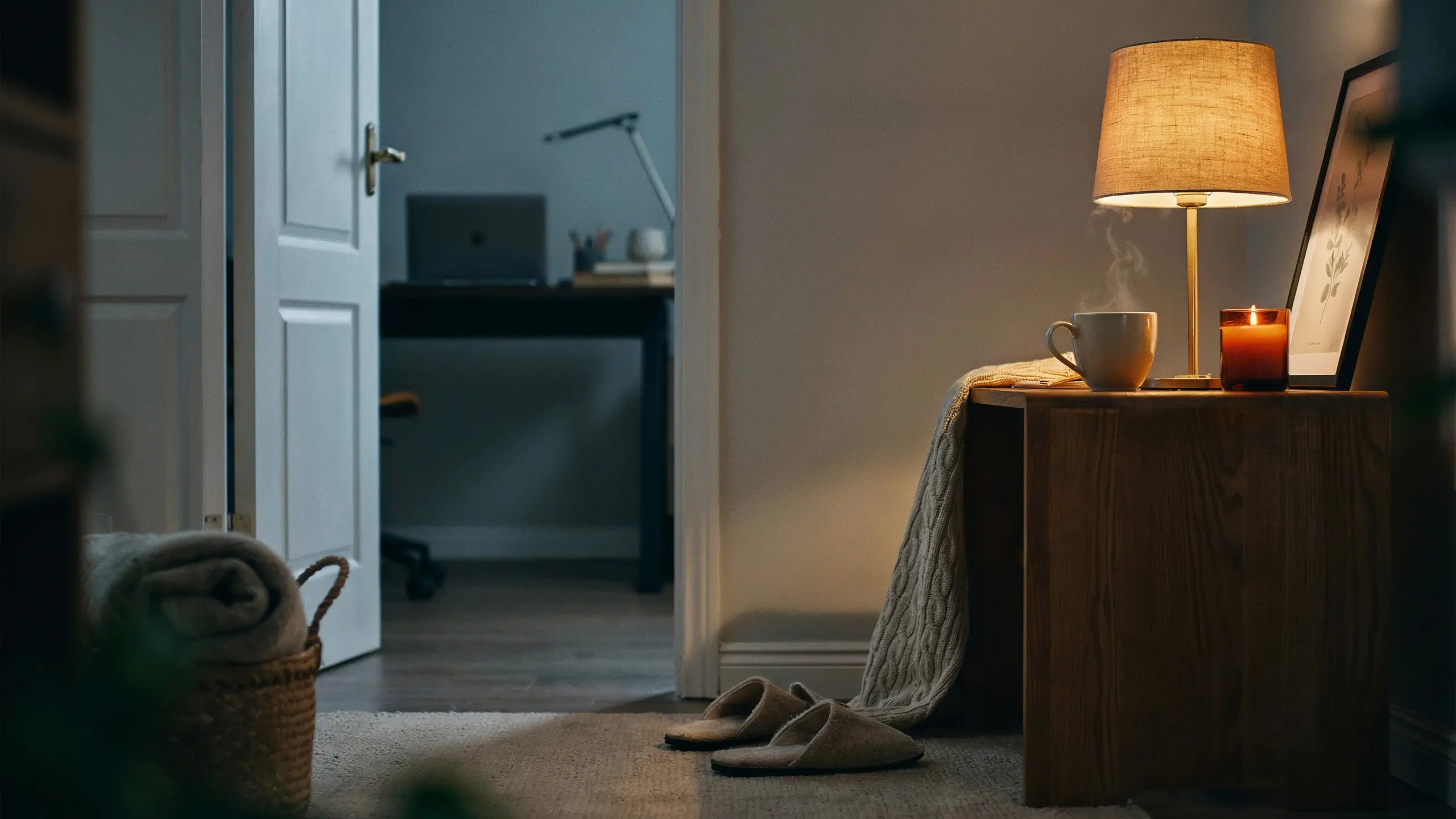
This is the home office idea no one talks about because it’s not a product. But it might be the most important one.
When your office is in your home, your brain never fully gets the “commute” signal that work is over. The result is that you feel like you’re always at work, or always half-distracted from work. Neither is good.
A physical transition ritual helps. This can be:
- Closing the closet doors (if you have a cloffice)
- Covering your desk with a fabric panel or folding screen at the end of the day
- Turning off your desk lamp and turning on a different, warmer light in the room
- Making a specific drink (a different tea, sparkling water) only when the workday ends
- Taking a short walk around the block before and after work
The specifics matter less than the consistency. Your brain learns these signals over time and starts to recognize when it’s time to shift modes. It sounds simple because it is. It just works.
17. Personalize It So It Feels Like Yours
Generic office setups exist in the spaces between what we know and what we’re afraid to commit to. The ones that end up on Pinterest, the ones that make you feel genuinely good when you sit down, are the ones that have a point of view.
That doesn’t mean expensive. It means specific.
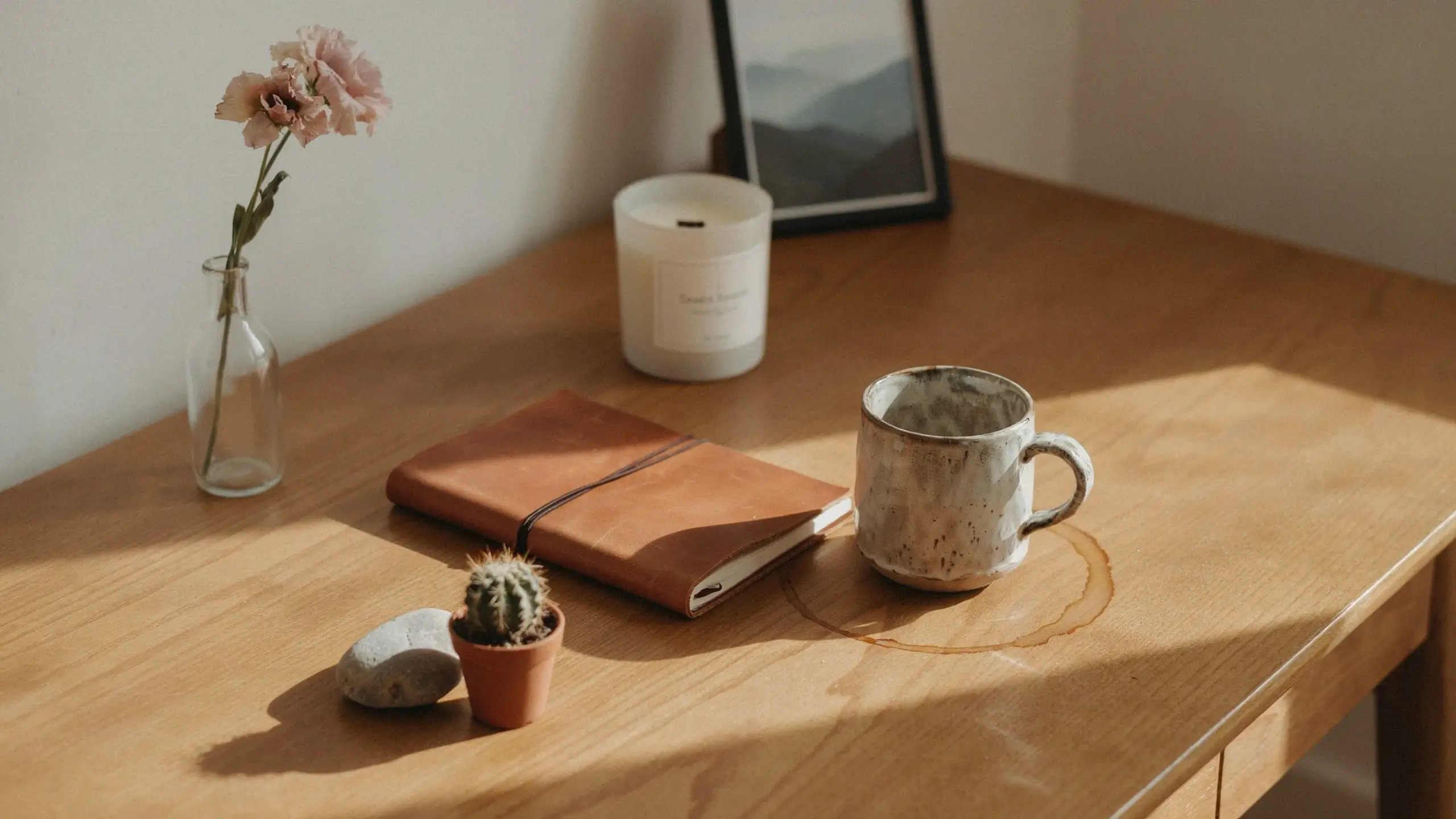
A small framed print of a place that matters to you. A candle that smells like something you love. A coffee mug you actually like looking at. A plant you named (no judgment). A color on the wall you picked because you loved it, not because it was the safe neutral.
Your office is where you spend a significant portion of your waking life. It should look like you were there on purpose.
18. Start With What You Have, Then Build Slowly
The mistake most people make when setting up a home office is waiting. Waiting until they have the right desk, the right room, the right budget. Meanwhile they’re working from the couch or the kitchen table for months.
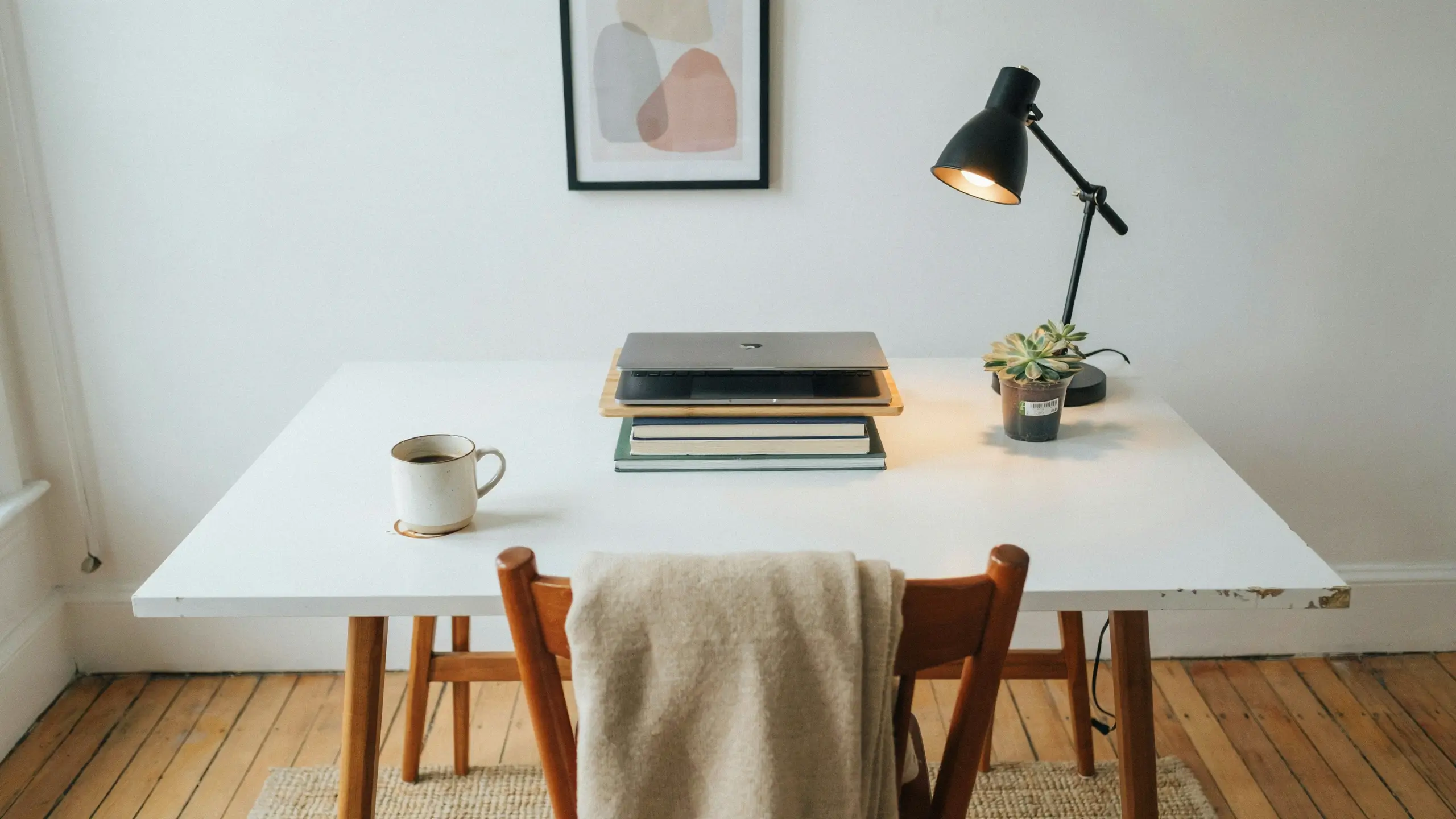
Start today with what you have. Clear the surface. Add a lamp. Position your screen correctly. Get a cushion for your chair. Then, over time, swap in better pieces as your budget allows.
A $30 desk lamp, a $15 monitor stand made of books with a cutting board on top, and a plant from the grocery store is still a better setup than a kitchen counter with three empty coffee cups and a phone charger underfoot.
The best home office setup ideas aren’t the most expensive ones. They’re the ones you actually implement.
Mistakes to Avoid When Setting Up Your Home Office
Putting your desk directly under overhead lighting. It flattens your face on video calls and makes the space feel harsh. Move the desk. Add a lamp.
Ignoring the chair until your back hurts. By then you’ve lost weeks of good work time. Prioritize the chair.
Setting up in a high-traffic area. The kitchen table looks convenient until the second person in your home needs to eat lunch and you’re mid-meeting.
Buying the desk before measuring the room. So many people do this. Measure the space, including door swing and walking paths, before purchasing.
Skipping cable management. It seems minor. It is not minor. Fix it before it gets worse.
Creating a setup that’s all aesthetics, no comfort. A beautiful office that hurts to sit in is not a good office. It’s a nice photo with a bad outcome.
Final Thoughts on Home Office Setup Ideas
The perfect home office setup doesn’t happen in a weekend. It evolves as you figure out what you actually need, what bothers you, and what makes you feel most like the person you’re trying to be at work.
Start with the basics: a good spot, a decent chair, and proper lighting. Layer in the aesthetics as you go. Fix the cables. Add the plant. Figure out your end-of-day ritual.
The setups that end up saved on Pinterest, the ones that feel aspirational and achievable at the same time, are almost always the ones where someone made thoughtful choices over time rather than doing everything at once. Your setup is allowed to be a work in progress.
Just start somewhere.
What’s the one thing in your current home office setup that’s driving you the most crazy? Drop it in the comments below, I’d love to help you brainstorm a fix.




No Comment! Be the first one.